Mixxx on a Pi, with nothing but MIDI
A Raspberry Pi that boots into Mixxx, sees the deck as an ordinary MIDI controller, mounts DJ sticks read-only, and runs a fork with a skin made for a booth. And an audio buffer chosen against the measurement.

With the controller speaking MIDI, the computer’s side of the deck could be simple, and it was meant to stay that way. The Pi would run Mixxx, the open-source DJ software, and Mixxx would see the deck as what it now was: a MIDI controller.
A UART that looks like a MIDI device
The S3 talks to the Pi over a UART: 3.3 V on both sides, 115 200 baud, raw MIDI bytes. On the Pi, ttymidi turns that serial line into an ALSA MIDI port called TriMixxx, and from there Mixxx can’t tell it from any controller plugged into a USB port. TriMixxx’s fork of ttymidi carries SysEx both ways, which is how full RGB colours reach the pads.
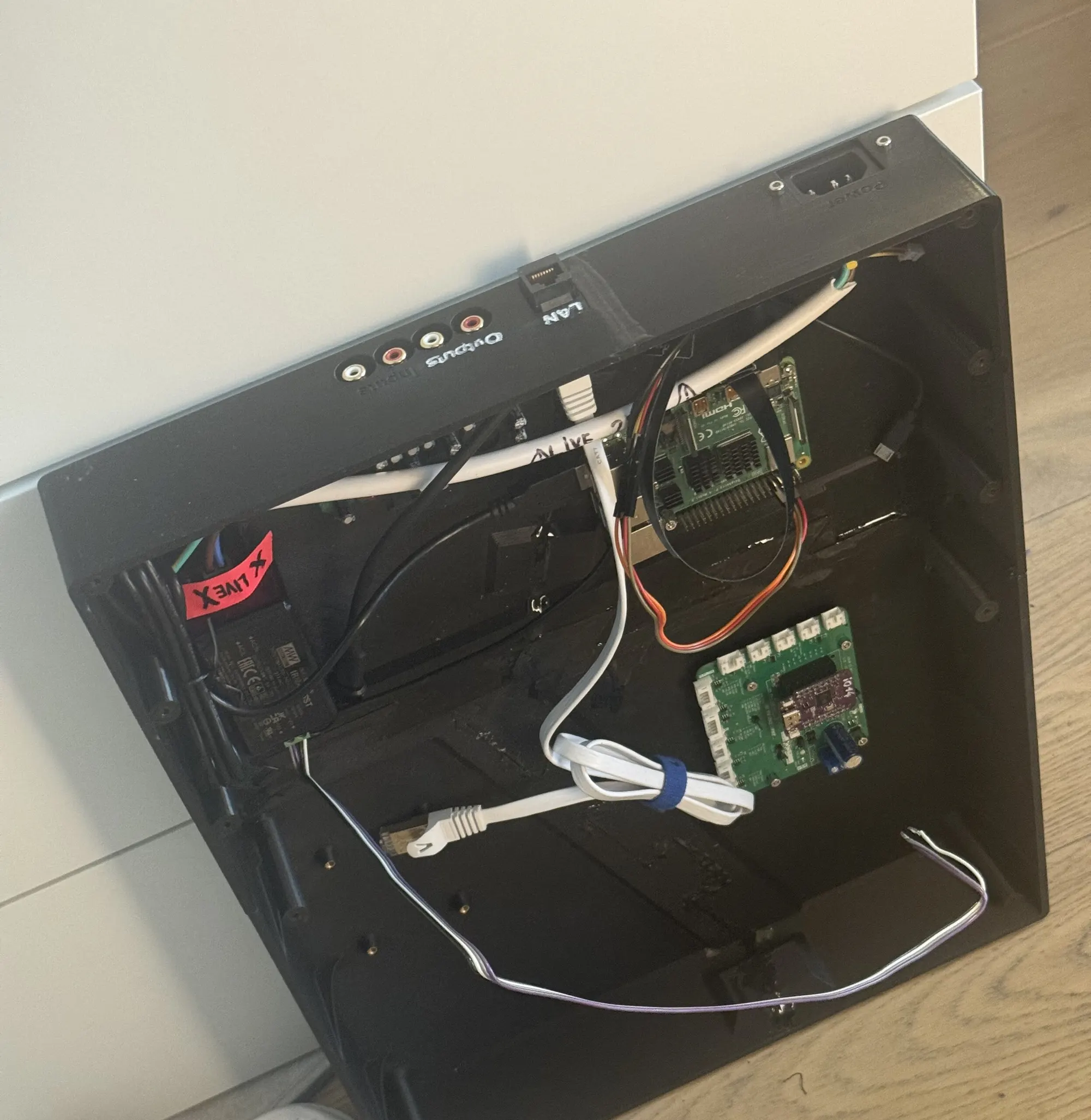
Mixxx lists its MIDI devices once, when it starts. So the bridge runs as a systemd unit that holds back the login session, and with it Mixxx, until the port exists. Without that ordering, a deck that booted a little faster than usual would come up with no controls.
The first mapping, on 13 July, was two files: an XML file binding each note and CC to a Mixxx control, and a JavaScript file for whatever needs logic, such as the jog wheel scratching when touched and bending the pitch otherwise. Every address in it matches one header file in the S3’s firmware, which stays the single source of truth for the contract between them.
| Control | MIDI | In Mixxx |
|---|---|---|
| PLAY, CUE | Notes 0x3C, 0x3D |
play (toggle), cue |
| LOOP IN, OUT, RELOOP | Notes 0x3E–0x40 |
loop in, out, reloop |
| Jog wheel | CC 0x11 + Note 0x42 |
scratch when touched, bend otherwise |
| Tempo fader | CC 0x12 + CC 0x32 |
rate, at 14 bits |
| Track encoder | CC 0x10 + Note 0x41 |
browse, open, load |
A fork, and a skin for a booth
Some things couldn’t be done from a mapping or a skin, so from 17 July the deck ran its own fork of Mixxx 2.5.6, built for arm64 in Docker on a Mac and installed on the Pi over ssh. The first patches were small: downbeats drawn in red on the waveform, and rekordbox’s beat grid kept in phase through the track’s intro cue.
The skin was TriMixxx’s own from the start: a single deck, CDJ-style, for the first deck’s 1024 × 600 touchscreen. No mouse would ever touch it, so it was built around big targets and the browse encoder. By the end of July it had the elapsed and remaining times, the title and artist with cover art, a phase meter, and the tempo in seven segments.
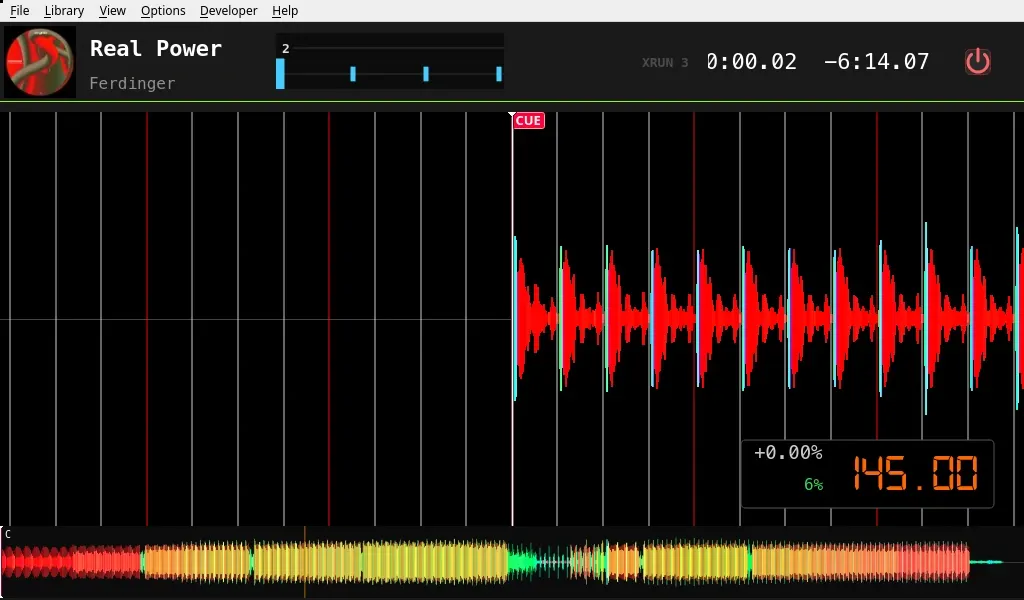
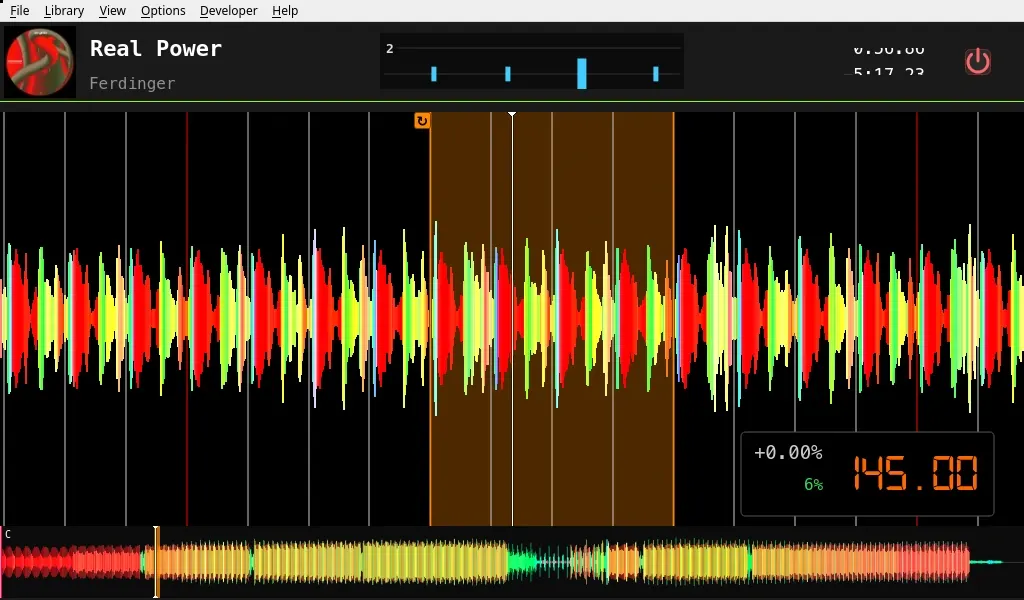
A skin is XML that Qt reads at start-up, and a malformed one doesn’t fail: Qt silently loads Mixxx’s default skin instead, with nothing in the log. So the step that uploads the deck’s configuration validates every XML file before anything leaves the Mac. The skin’s font has its own trap: it is a terminal font with no Japanese, Arabic or emoji, and Mixxx can name only one family, so the Pi’s font configuration gets a fallback chain of Noto fonts behind it, or a title in Japanese would show as boxes.
Sticks, read-only
A DJ’s USB stick is precious and the deck has no business writing to it. When one is plugged in, a udev rule starts a small systemd service that mounts it read-only, and that is the whole safety model. Once it’s mounted, Mixxx is told to read its rekordbox library again, so a stick plugged in mid-set shows up without a restart.
256 frames, against the measurement
The deck plays through a Behringer UCA222 at 44.1 kHz, and the size of the audio buffer is a trade. The jog wheel’s lag is a multiple of the buffer: about 145 ms at 256 frames, about 290 ms at 512. With 256, twelve underruns came in thirteen seconds of hard scratching; with 512, none.
The buffer went to 256, back to 512 with an underrun counter on the screen, and on 17 July to 256 again, “against the measurement, by choice”. A jog that lags feels broken every time it’s touched; an occasional underrun under extreme scratching is the cost.
The Pi runs the performance CPU governor. The usual ondemand governor
samples the load every 100 ms and only raises the clock when half of the total CPU is busy, so a
single audio thread saturating one core can sit at the lowest clock. A deck is plugged into the
mains and cooled passively; it can afford the watts.
Turning it off
Mixxx can’t shut a computer down: its scripts have no access to files, processes or the network. MIDI is the only way out. So on 17 July a second, virtual MIDI device appeared: a small daemon on the Pi that Mixxx enables as a controller like any other, and that understands a handful of SysEx messages. The skin’s POWER menu sends one, and the deck powers off.
That daemon was about to become much more than a power switch: on 1 August it would learn to choose what the deck boots into. But first, at the end of July, the deck met two real CDJs.