The deck plays DOOM
Hold PLAY while the deck boots and it becomes a DOOM cabinet, the jog wheel turning and the pads picking weapons. Not a fork of the game, but a launch manager that reads the deck's own buttons at boot, and a virtual keyboard made of MIDI.

Every deck should be able to do something it wasn’t built for. On 1 August 2026, this one learned to boot into DOOM.
A launch manager, almost for free
The deck already had a small daemon on the Pi, written in Go, that turned SysEx from Mixxx into system actions like powering off. Choosing what the deck boots into turned out to be one step away from what it already did:
- deciding means reading a button on the deck, and the daemon already listens to the deck’s MIDI;
- acting means starting things as root, which it already is;
- and its start-up was already what released the login session, and with it whatever app runs on the screen.
So it became trimixxx-launchd, the deck’s launch manager. At boot it watches the deck’s buttons for three seconds and writes one file, /run/trimixxx/mode. The session reads it and starts Mixxx, DOOM or a console.
| Hold at power-on | The deck becomes |
|---|---|
| nothing | a deck: Mixxx, as always |
| PLAY | DOOM |
| CUE | a rescue console |
Why it waits for the release
The obvious way to do this, checking whether a button is down, can’t work, and the reason is a nice puzzle.
The S3 is up half a second after power-on. The launch manager is up about twenty seconds after that. A button held from power-on is pressed long before anything on the Pi is listening, and its Note-On is gone: the MIDI bridge didn’t exist yet to carry it, and nothing sends it again.
What survives is the release. When the finger lifts, the S3 sends a Note-Off, and a Note-Off with no Note-On before it means exactly one thing: this button was already down when I started listening. So the deck tells you when to let go. Hold the button from power-on, and release it when the PLAY and CUE lights start blinking: the blinking is the three-second window opening, and on a deck whose screen is still black, it’s the only feedback there is.
DOOM, unmodified
DOOM on the deck is a stock, packaged Chocolate Doom. There is no fork of the engine, no MIDI support in the game, no patched input code.
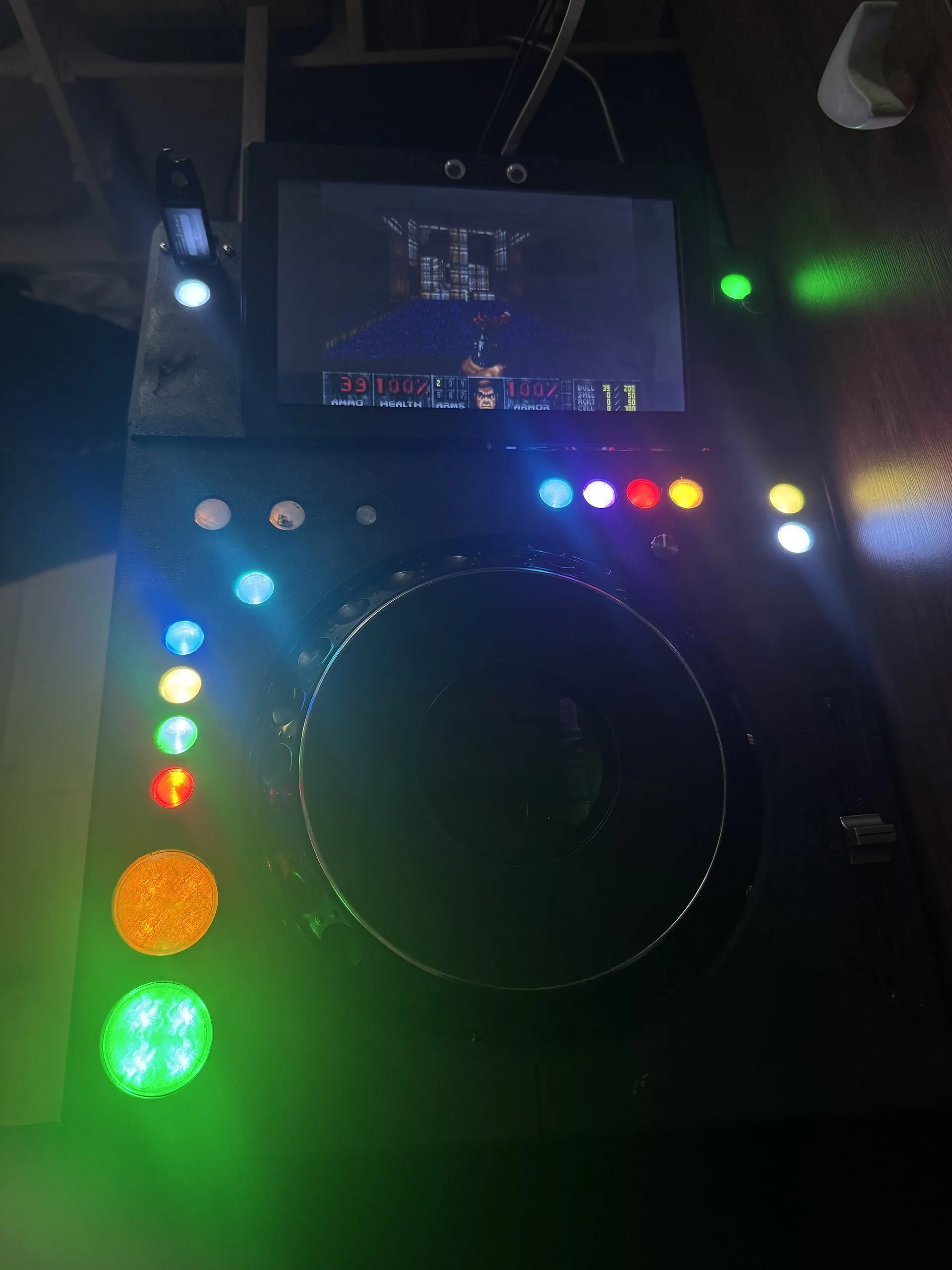
The trick is one level down. A second small daemon, trimixxx-deckkeys, reads the deck’s MIDI, the same stream Mixxx normally gets, and replays it into the Linux kernel through /dev/uinput as a virtual USB keyboard and mouse. As far as DOOM can tell, someone is playing on an ordinary keyboard.
| On the deck | In DOOM |
|---|---|
| Turn the jog wheel | Turn (as the mouse) |
| Touch the jog wheel | Fire |
| Tempo fader | Stand, walk or run, forwards or back |
| Ring A, pads 1–7 | The seven weapons, each lit in its own colour |
| Ring B | The menu |
| CUE | Use, open doors |
| LOOP IN, LOOP OUT | Strafe left, right |
The jog wheel is the one control that is better than a keyboard here: a key can’t say “turn seven degrees”, but a mouse can, and a jog wheel is a rotary control. Seven pads for seven weapons and six more for the six keys a menu needs were, as the notes put it, too good to waste.
The keymap is a table in Go, so changing what a pad does is a one-line edit, and the deck can print its own control table from it, so the documentation can’t drift from what the deck does.
DOOM quits from its own menu, on the pads. Or hold LOOP IN and LOOP OUT together for two seconds, strafe left and right at once, the one chord nobody holds by accident, and the launch manager puts the deck back into Mixxx. The mode file lives in RAM, so a power cycle always brings back the deck.
The rescue console
The same virtual keyboard solved a more serious problem. A deck has no keyboard port in the booth, and when something on it breaks, a shell is what you need.
Hold CUE at power-on and the deck boots into a rescue console. In August it was a plain text console; since October it is a terminal on the left half of the touchscreen, already logged in, showing the network interfaces, the route and what the Wi-Fi fallback decided, and an on-screen keyboard on the right with the keys a shell needs, Esc, Tab, Ctrl and the arrows. The pads type the arrow keys, at half brightness so it’s obvious the deck isn’t a deck right now. If the graphics are what broke, the same shell comes up on the bare console instead. Typing exit hands the deck back to Mixxx.
Whatever happens, a deck
All of this sits on the boot path of a machine that has to work at a gig, so it was built to fail towards Mixxx. The launch manager starts after the network and ssh but never waits on them for long. If it never runs, if the mode file is missing, unreadable or names a mode nobody knows, the session starts Mixxx. A launch manager that breaks can make the deck lose DOOM. It can’t make the deck stop being a deck.